

Is the extension free?
Yes. All checks are free, without an account and without limits. Improving a listing with PrintFlow AI uses a pack from your plan; the Free plan includes three per month.
Free browser extension for Etsy sellers
PrintFlow Listing Check sits next to your listing editor and flags title, tag and description mistakes while you type. No copying, no switching tabs.
Set up in under a minute · no account · runs only in your browser
How to start · 3 steps
Click “Add to Chrome”, then “Add extension”. No account, no sign-in, nothing to configure.
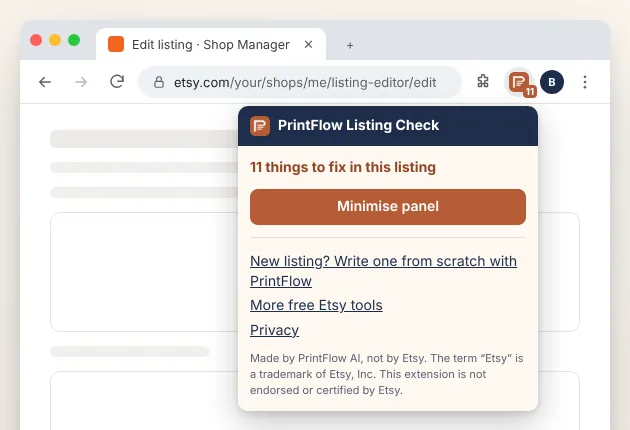
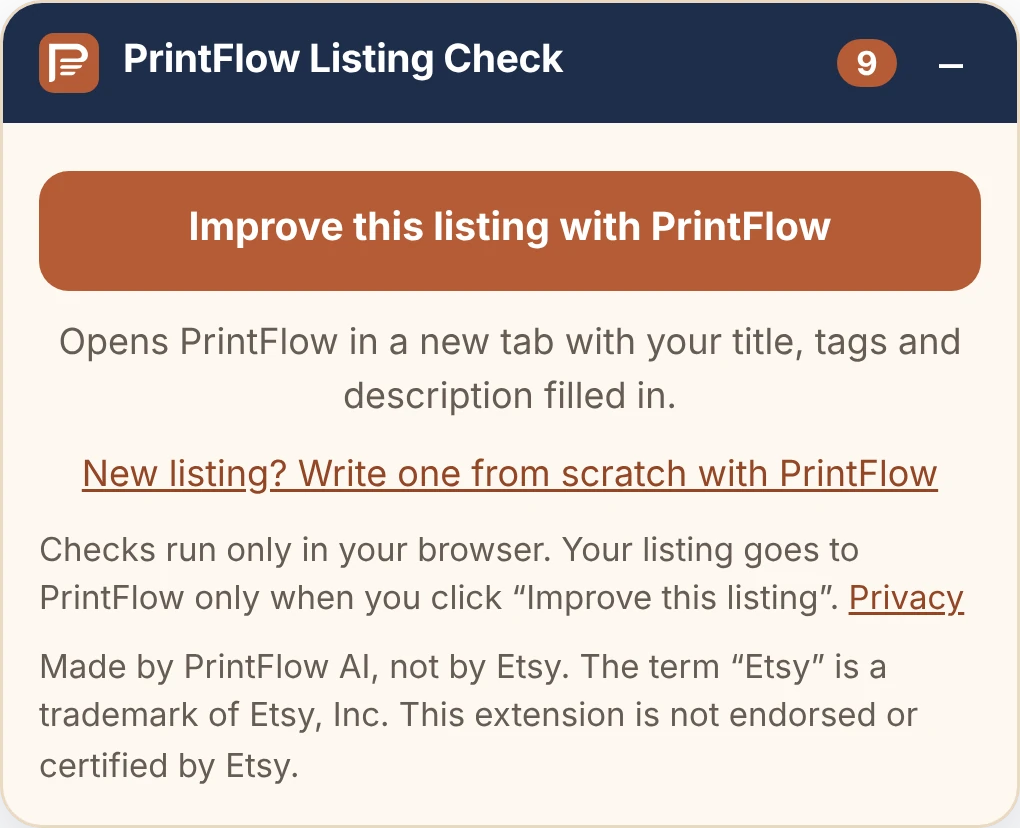
Edit any listing or start a new one. The PrintFlow icon lights up and shows how many things are left to fix.
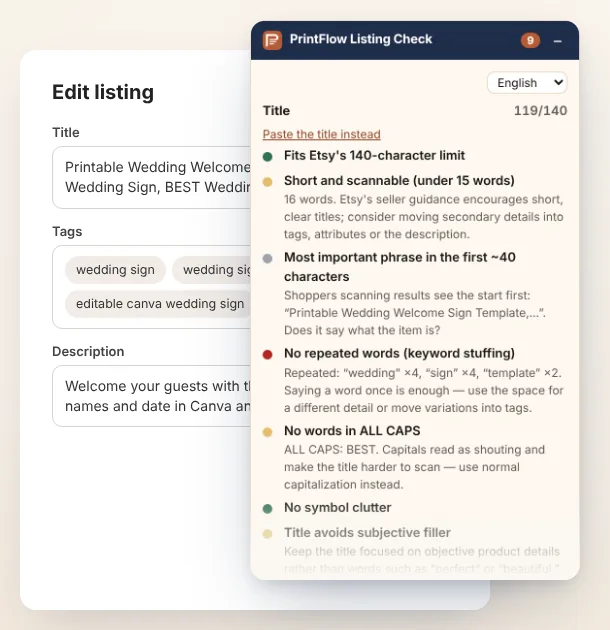
The panel next to the editor checks title, tags and description live. Green means done.
Tip: pin the icon so it stays visible. Click the puzzle piece next to the address bar, then the pin next to PrintFlow Listing Check. If a field cannot be read, paste the text into the panel instead.
What it checks
Title: The 140-character limit, what shoppers see in the first ~40 characters, repeated words, ALL CAPS and symbol clutter.
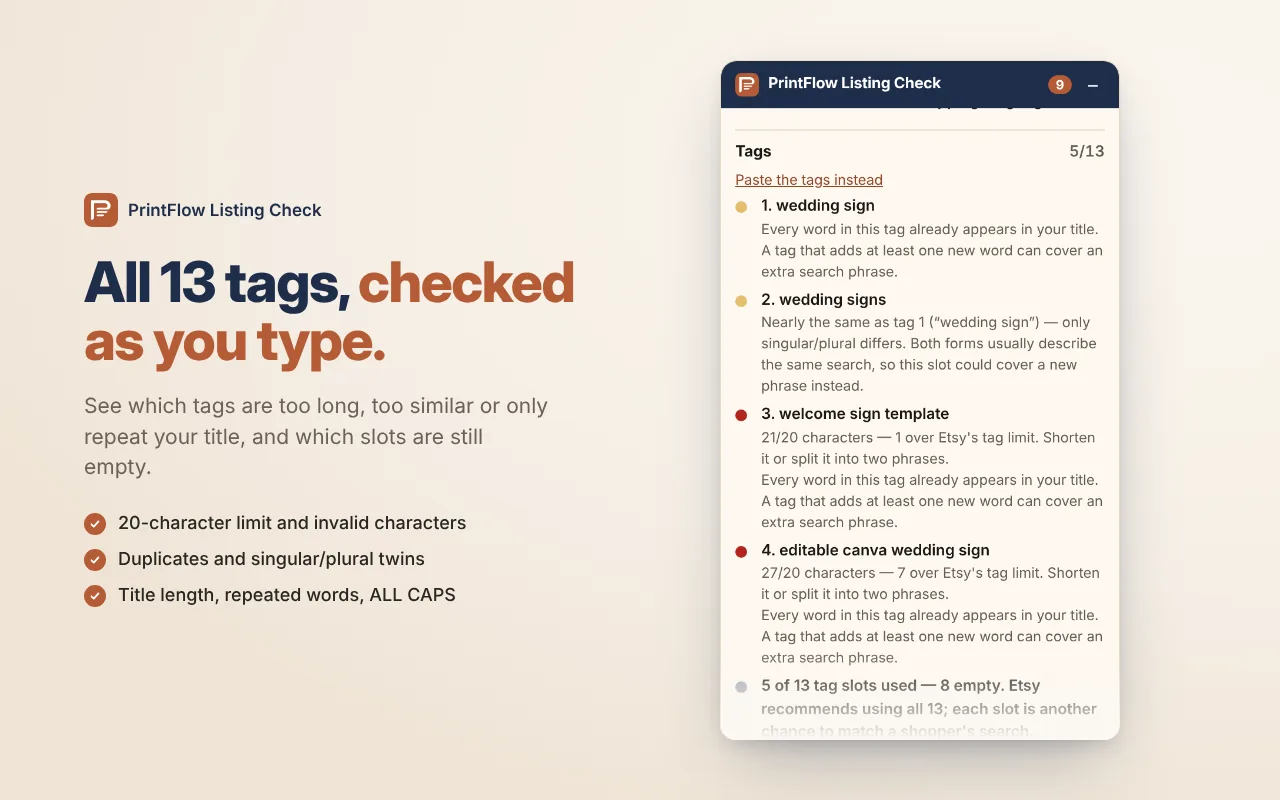
Tags: All 13 slots used, the 20-character limit, characters Etsy rejects, duplicates, singular/plural twins and tags that only repeat your title.
Description: Says clearly that the item is a digital download and names the file format buyers get.
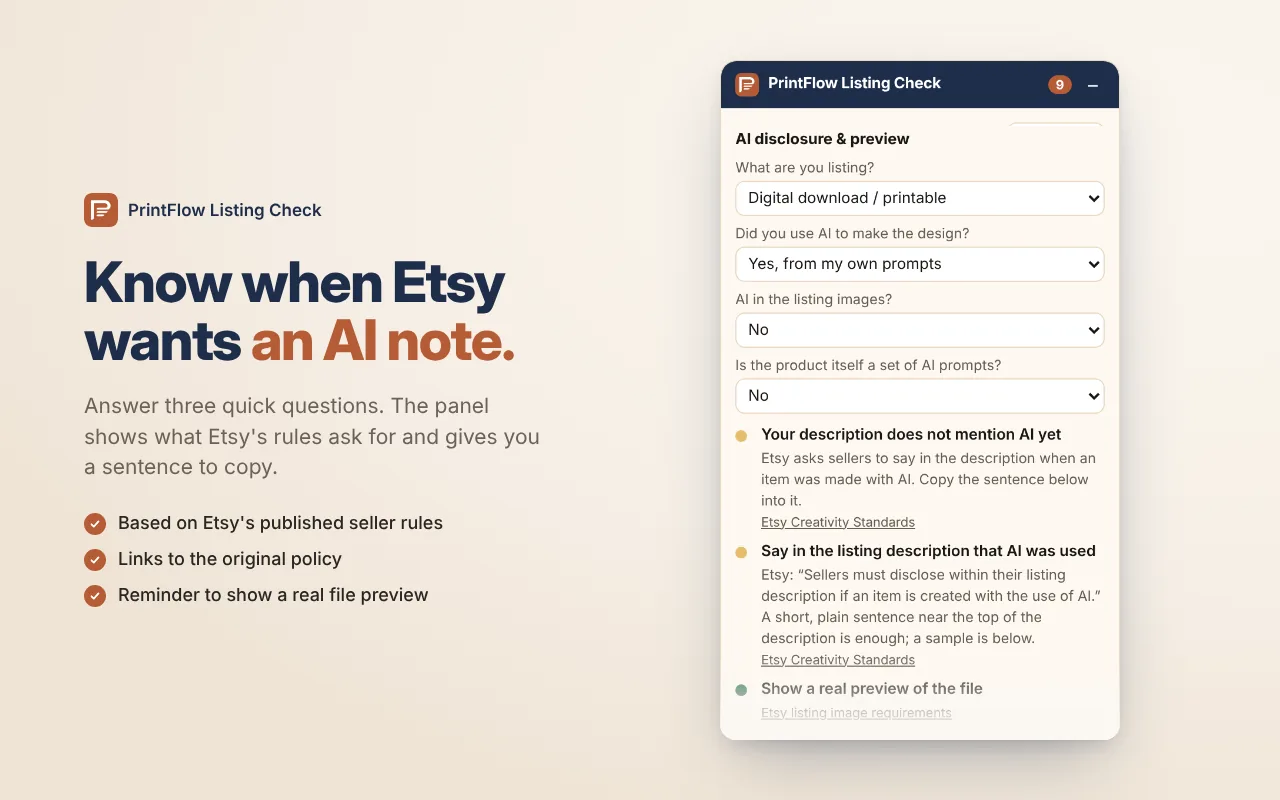
AI disclosure: Whether Etsy asks you to mention AI, what is not allowed, plus a ready-made sentence to copy.
Previews: A reminder to show buyers a real preview of the file they receive.
One click further
“Improve this listing with PrintFlow” opens PrintFlow AI with your title, tags and description already filled in. You get a stronger title, 13 tags and a new description to review.
Free
All checks, unlimited. Three improved listings per month; you copy the result into Etsy.
Pro
Connect your shop and send the checked title, tags and description back to the listing in one click.
FAQ
Yes. All checks are free, without an account and without limits. Improving a listing with PrintFlow AI uses a pack from your plan; the Free plan includes three per month.
With Pro and a connected Etsy shop you can send the improved title, tags and description back to the same listing in one click, after you have checked them. On the Free plan you copy them over yourself.
Chrome shows its standard notice “Read and change your data on www.etsy.com” because the panel runs on Shop Manager pages. The extension itself reads only the title, tags and description of the listing you have open and counts its photos and digital files (only the number), all in your browser. It remembers only its own panel settings, never your listing text. It never types into the Etsy form or submits anything. Your listing goes to PrintFlow only when you click “Improve this listing”.
Chrome first; Edge and Firefox versions follow. The panel speaks English, Deutsch, Français and Español and follows the language of your Etsy shop manager.
No. It is made by PrintFlow AI. The checks follow Etsy's published seller rules and PrintFlow recommendations and do not predict ranking or sales.
Details on what the extension reads and when: extension privacy.
Install the free extension above, or start with a full listing pack in PrintFlow AI.
Free plan: 3 packs per month · no credit card.
Made by PrintFlow AI, not by Etsy. The term “Etsy” is a trademark of Etsy, Inc. This extension is not endorsed or certified by Etsy.
Necessary cookies keep PrintFlow working. With your consent we also use optional analytics (PostHog incl. heatmaps and masked session recordings, Vercel Web Analytics & Speed Insights) to see how the product is used and keep it fast. You can change this anytime under Cookie settings. Privacy policy.